Title here
Summary here
Pizzas are expensive, time to save some money by setting my own prices.
Application: https://pizzamario2025.mendixctf.com
Difficulty: Easy
It helps to first understand the intended behavior before identifying potential weaknesses or opportunities for exploitation. The pizza mario application allows us to select a pizza which directly adds it to an order. Before we complete the order, we can go back and add another pizza. This automatically recalculates the order lines and total order price. Changing the quantity on any of the order lines also recalculates all order lines and order total. However deleting a pizza from the order did not update the order lines nor order total. With this in mind we know we can start playing around with the prices.
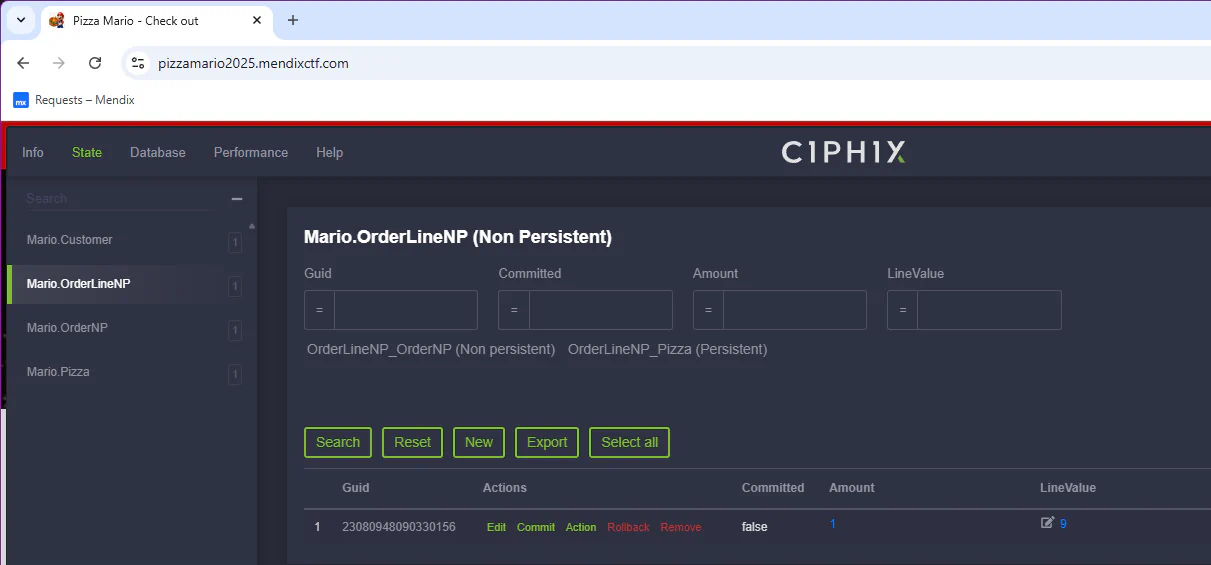
The easiest way to identify which fields you can edit is with the Ciphix tool. The Price attribute of the Mario.Pizza entity is marked as Read only. However the Mario.OrderLineNP has a LineValue which we can write! We might not be able to change the pizza price, but maybe we can still save some money by tricking the order system in accepting our prices =) Use the tool to edit the LineValue on the OrderLineNP object. The price of the pizza in our order is now updated.
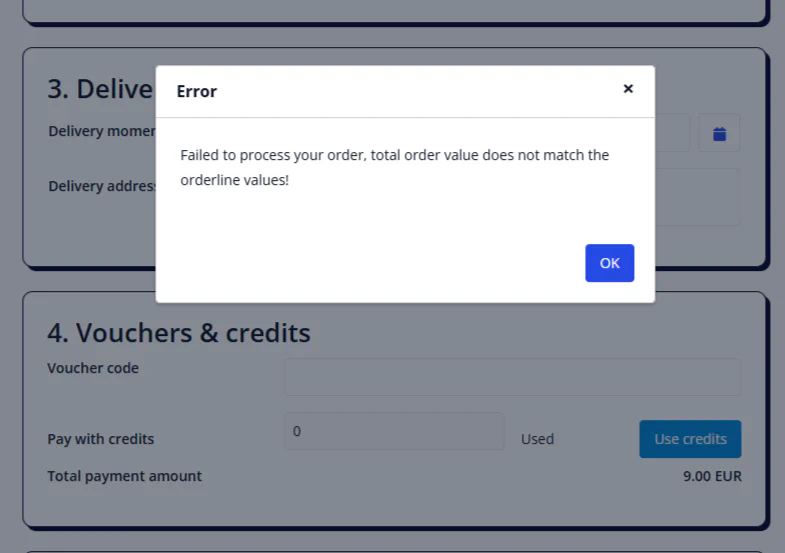
Trying to confirm the order gives us a validation error. The system doesn’t seem to be easily deceived. It will validate if the order line value matches the total order price. Luckily we already figured out how to do this! Just add another pizza (or have two pizza’s on the order and change the quantity).
We can exploit the system by letting it recalculate all lines —including our modified line. Just changing the quantity on our own order line won’t work as it will reset the price as well. Now we can confirm the order and enjoy an almost1 free pizza!
This can also be achieved by performing the Client API actions manually. Functions like getMap and getConfig will return an array with objects containing all entities and attributes available to the user. An attacker could learn a lot about the (data) structure of the application this way2.
mx.meta.getMap();
-- OR
mx.session.getConfig("metadata");
Next I could use the Ctrl + Alt + G key combination to dump the state into the browser console. This displays the state as a JSON object and is grouped by entity type, non-persistable entities will have the suffix [NPE]. It does not contain the data, but will quickly give you GUIDs for the objects in the state.
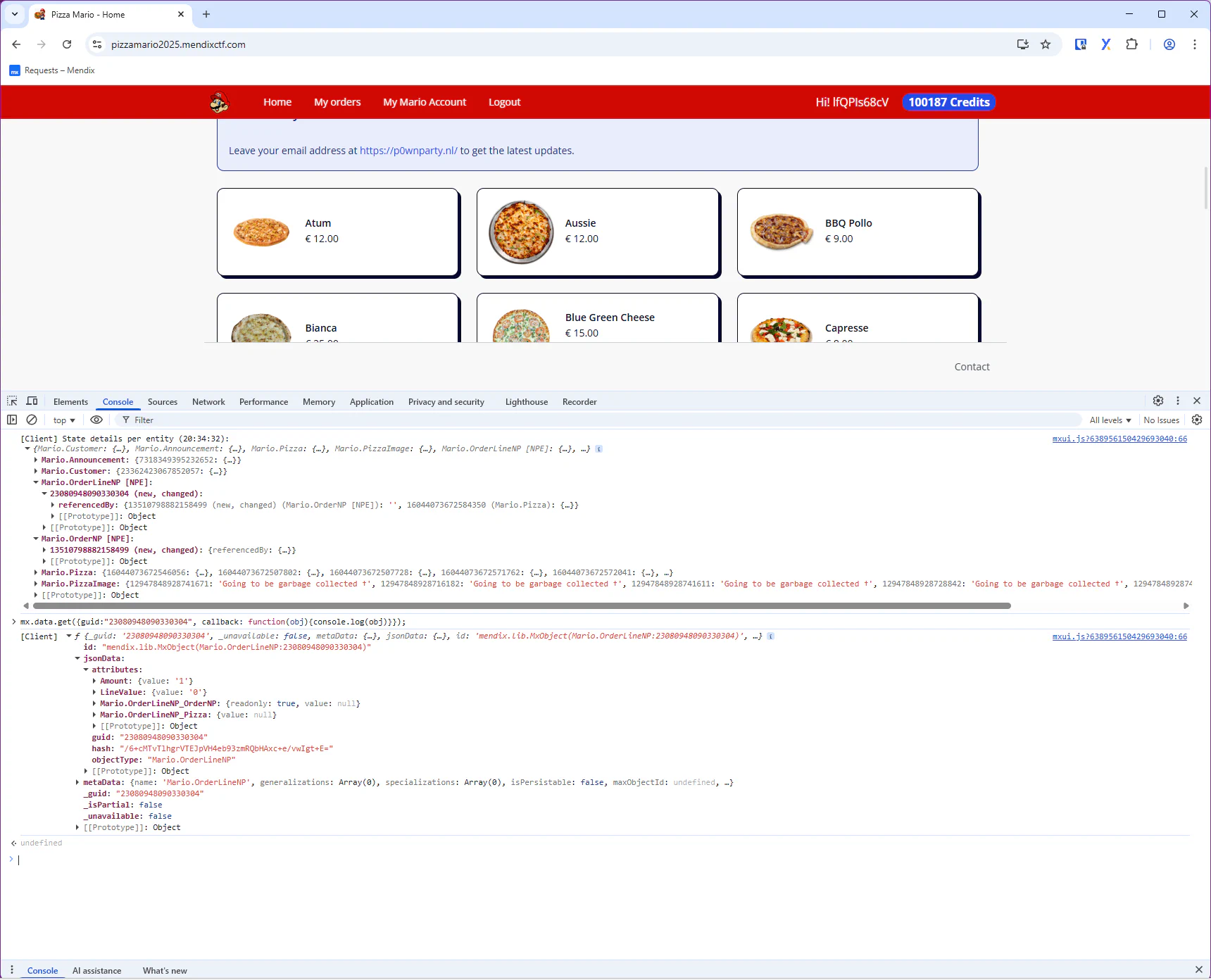
In this challenge we are interested in the OrderLineNP, so let’s get an object via the GUID. The result will tell us which of attributes are read-only (and which are not).
// Log the object to the browser console
mx.data.get({guid:"23080948090330304", callback: function(obj){console.log(obj)}});
// Use the callback of mx.data.get to set the LineValue on that OrderLineNP object
mx.data.get({guid:"23080948090330304", callback: function(OrderLineNP){OrderLineNP.set("LineValue",1);}});I think we could also do this by intercepting the request and modifying it before sending it to the server. But I haven’t tried this (maybe I will add this later)
Entity access should ensure that users can only read or write the attributes they are authorized to. LineValue should normally be a system-controlled field (based on a server-side calculation). This challenge maps to TSU-02 Insecure entity access as the user is able to manipulate data they should not control (and the system fails to enforce integrity - however attempts were made)
My precious.Flag
CTF{H@ckz0rzF0rCh34pP1zz4s}